MC
The ham croquetas are some of the best in London. Laura looked after us brilliantly and recommended a lovely wine. We'll definitely be back.

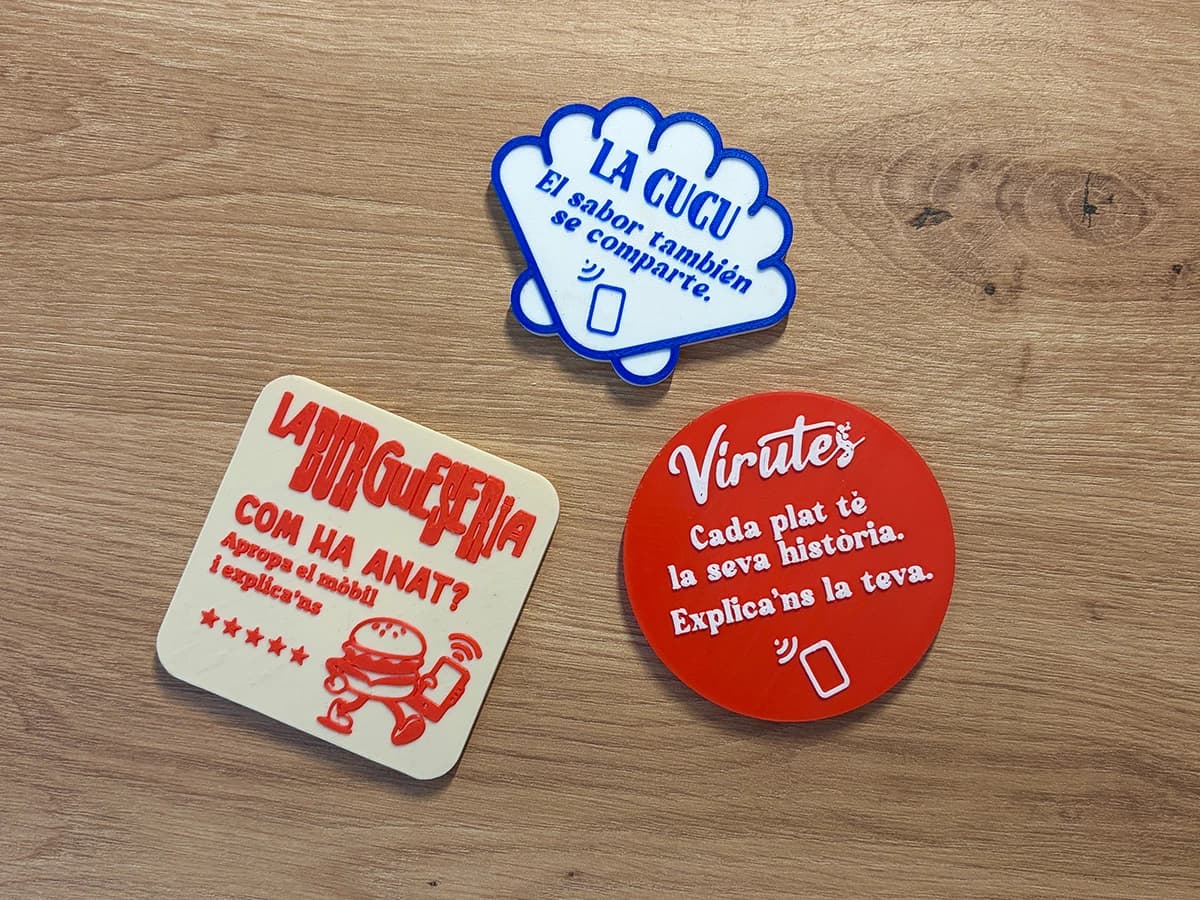
Customers tap their phone on your Tapi and leave a review in seconds. You reply with AI and see which team member brings in the most.
4.7 ★
+96 reviews this month
Marta G.
★★★★★
AI reply
Thank you so much, Marta! We’re delighted you enjoyed your dinner…
Businesses already getting more reviews with Tapi


Take a look inside
No screenshots here: this is the real Tapi dashboard, with sample data. Try replying to a review with AI.
How it works
We send it to you with your logo. Leave it on the table, at the counter or at reception, or give one to each team member.
The review screen for your Google Business Profile opens straight away. No apps, no searching for your business. Under a minute.
Reply with AI in seconds, get your monthly summary and see which Tapi and which team member brings in the most reviews.
Who is Tapi for?
Whether you run one location or ten: if you want more reviews and to reply to them well, Tapi can help.
Customers tap their phone when they pay and leave a review before they head off.
A Tapi at reception so guests share their thoughts before check-out.
Hair salons, clinics, shops, garages… If you have customers, you have reviews waiting to happen.
FAQs
An NFC device with your logo plus a dashboard to manage your reputation on Google. Customers tap their phone on the Tapi and the review screen opens straight away; you reply with AI, check your stats and see which team member brings in the most.
No. It works with the NFC technology phones already have: customers tap their phone and the review opens in their browser.
No. The AI suggests a reply in the tone you choose; you review it, tweak it if you like and publish it on Google in one click.
Yes. With “Your style” mode, the AI reads the replies you’ve already written on Google (8 is enough) and learns how you talk to your customers: how formal or casual you are, how you greet them and sign off, how long your replies are and the expressions you use. If you prefer, you choose the tone yourself, from very formal to friendly, and tell it whether to use emojis, which sign-off to end with and which words it should never say.
Yes, as many as you like. The plan belongs to your account, not to each business: switch between them in one click, and reviews from all of them count towards your limit.
You assign a Tapi to each person on your team. If a customer leaves a review right after scanning a Tapi, we credit it to whoever had that Tapi. You’ll see scans, reviews, average rating and conversion for each of them.
Every month, on paid plans, the AI reads your latest reviews and explains in plain English what your customers value, what keeps coming up when something isn’t right and what you can do to improve.
No. You can change plan or cancel whenever you like from your dashboard.
Create your free account and connect your Google Business Profile in two minutes. When you’re ready for your Tapis, choose a plan: we’ll make them with your logo and send them to you.
Create a free accountCreate your free account, connect your Google Business Profile and get started today.
Start for freeWe’re here to help. Get in touch and we’ll get back to you as soon as possible.
All your Google reviews in one place. Hit “Reply with AI” and get a response in your own tone in seconds.
Reviews
The ham croquetas are some of the best in London. Laura looked after us brilliantly and recommended a lovely wine. We'll definitely be back.
Proper old-school vermouth and amazing patatas bravas. Great neighbourhood feel and really quick service.
Really good food at a fair price. On Saturday the bill took a while to arrive, but the staff were lovely.
We celebrated my mum's birthday here and it was perfect. They even surprised her with the dessert. Thanks, Mark!
October 2026 · 100 reviews analysed
Satisfaction is up again this month: the team gets constant praise (especially Laura, Mark and Sophie) and complaints about waiting times have halved. The most common negative is how noisy it gets at peak times.
Satisfaction
Very positive
+2 vs September
Your team makes the difference
Customers remember who served them and mention them by name.
Sophie is an absolute gem: she talked us through the whole menu
Consistent home cooking
Croquetas, bravas and octopus are still the favourites.
The octopus is out of this world
Celebrations done right
Birthdays and groups leave very happy.
We celebrated my mum's birthday here and it was perfect
Noise at peak times
It's the most common complaint at weekends.
It was so loud we could barely hear each other
Dishes arriving cold
A couple of one-off cases with the bravas.
The bravas arrived cold
Most mentioned topics and their tone
Based on your 100 most recent reviews with comments · average rating 4.8 ★. AI-generated: double-check the conclusions before making important decisions.
Scans
Reviews earned
Average rating
Conversion
Laura
Tapi no. 1
Mark
Tapi no. 2
Sophie
Tapi no. 3
Jamie
Tapi no. 4
Nora
Tapi no. 5
Your reputation on Google
1,284 reviews · 96 new this month
Goal: 4.8 ★
You need 155 more 5 ★ reviews to reach 4.8.
Unanswered
Response rate
Response time
AI replies